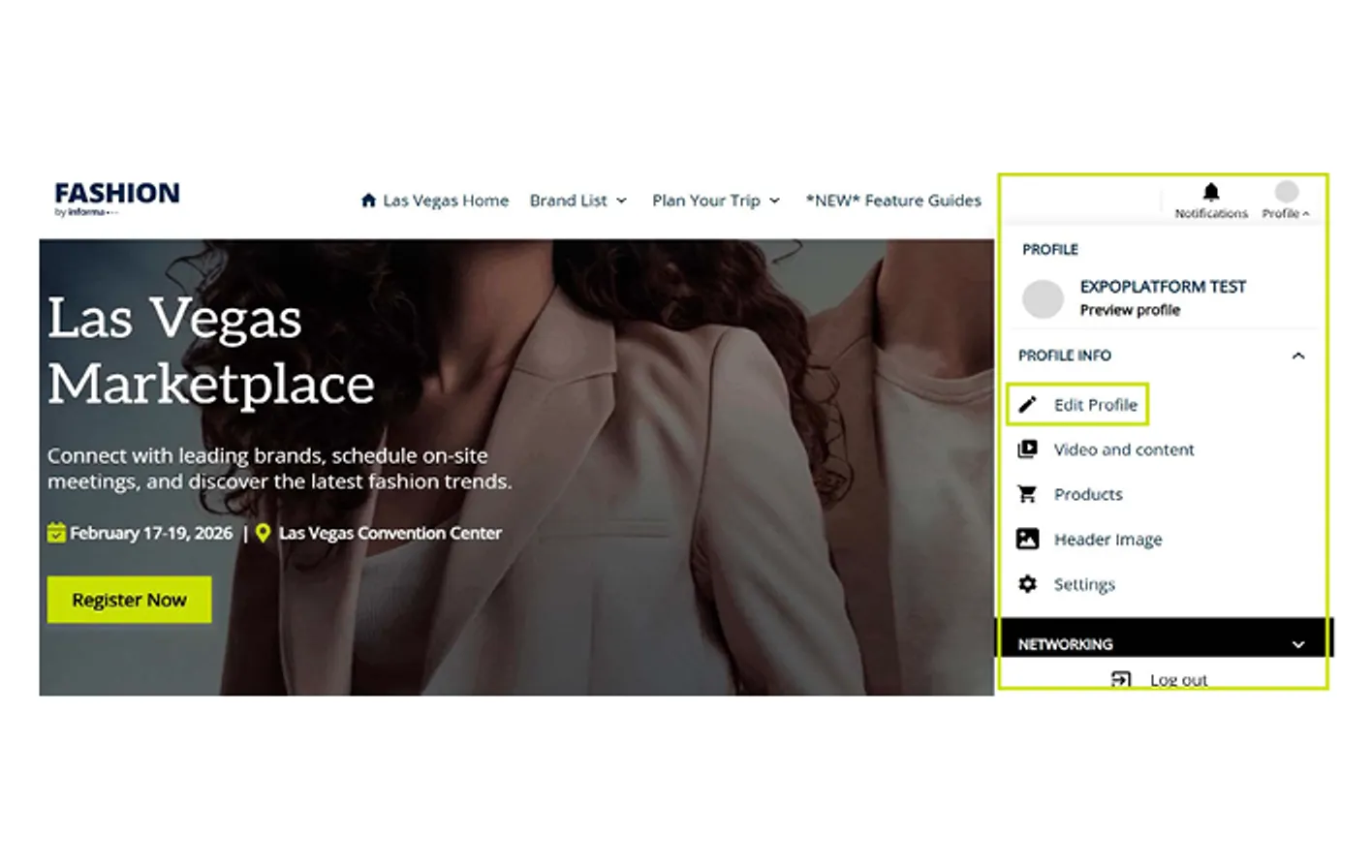
Click "Profile" in the top right corner and
navigate to Edit Profile
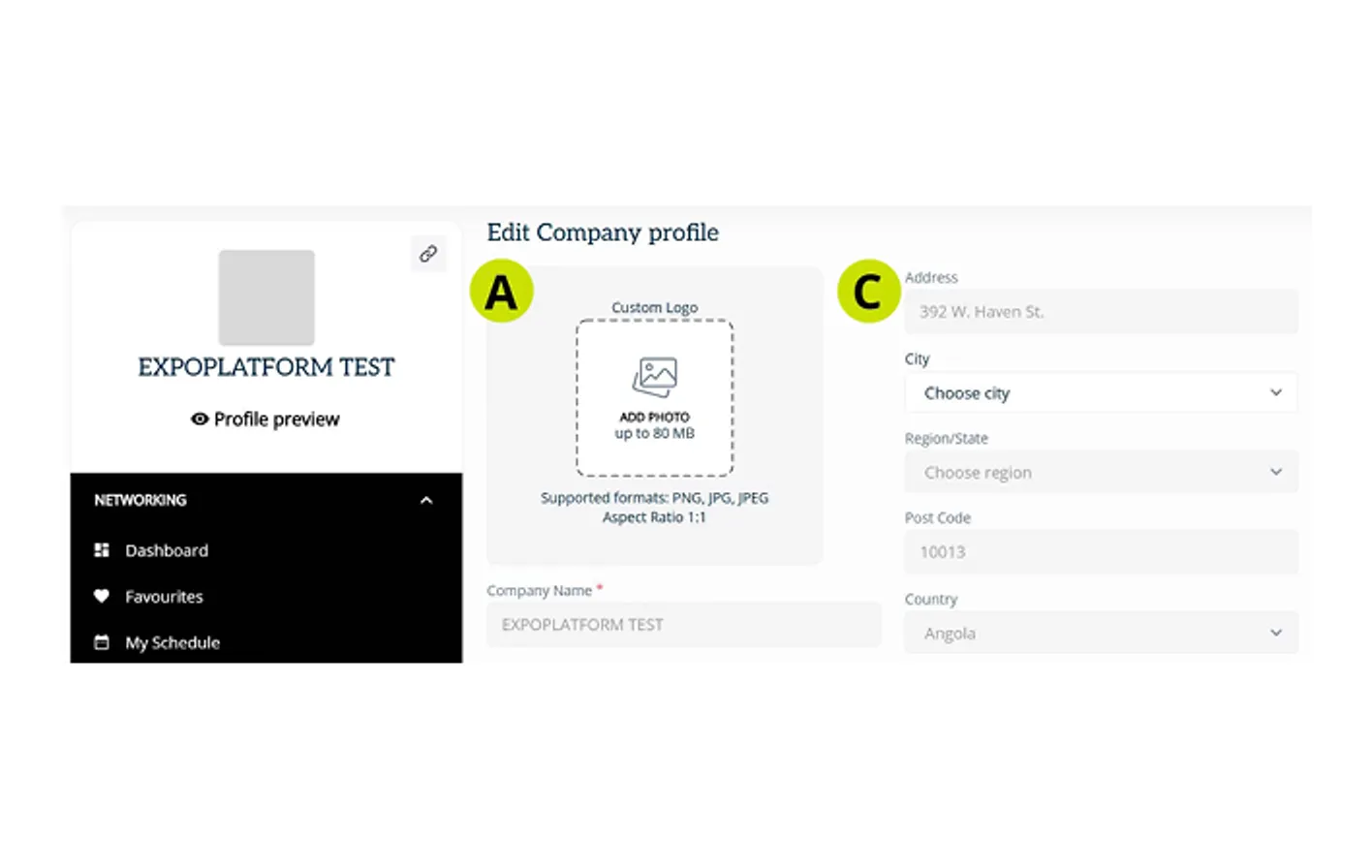
A. Upload Company Logo
Supported formats are .png, .jpg, and .jpeg with a 1:1 aspect ratio
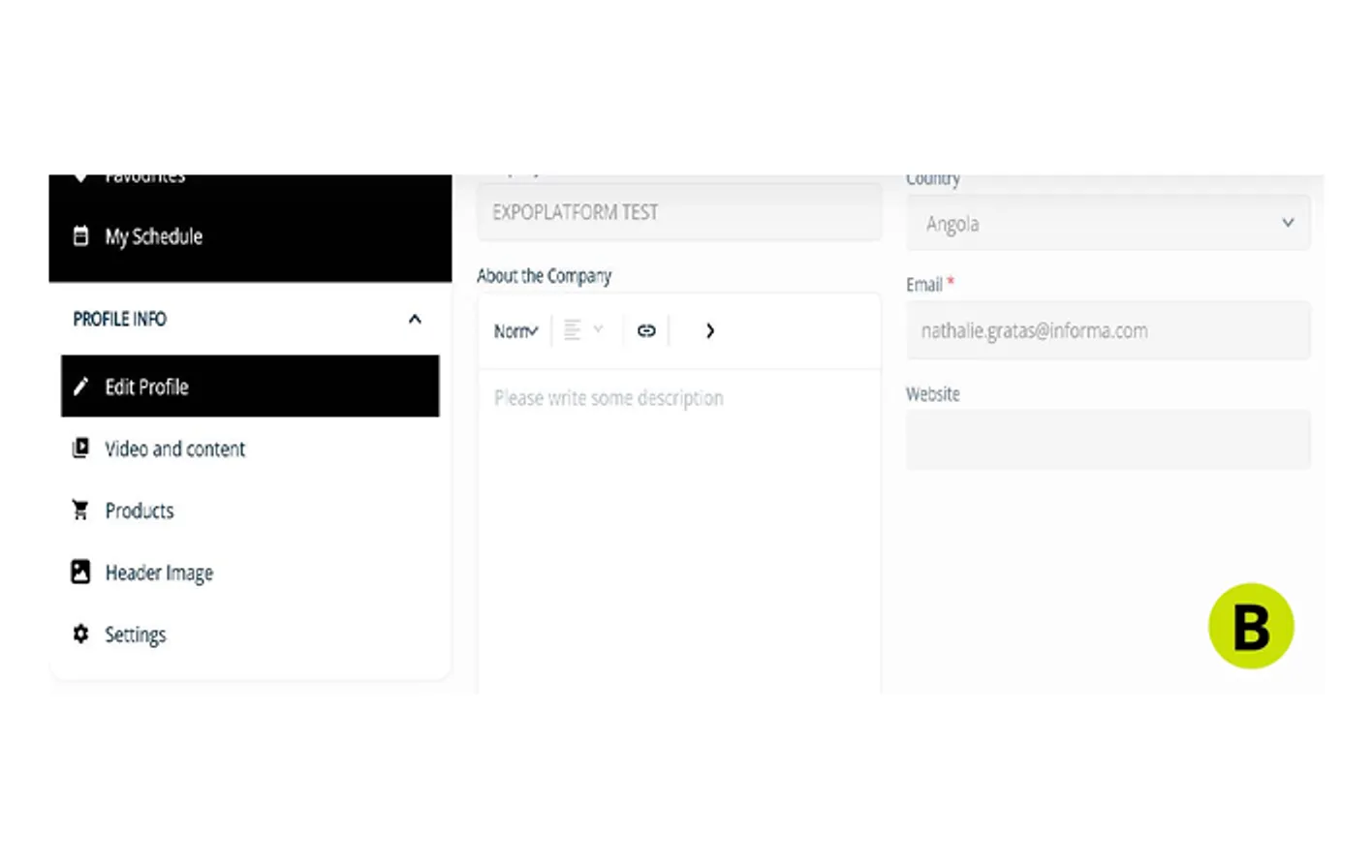
B. About the Company
Tell visitors about your company and the value that your products or services offer
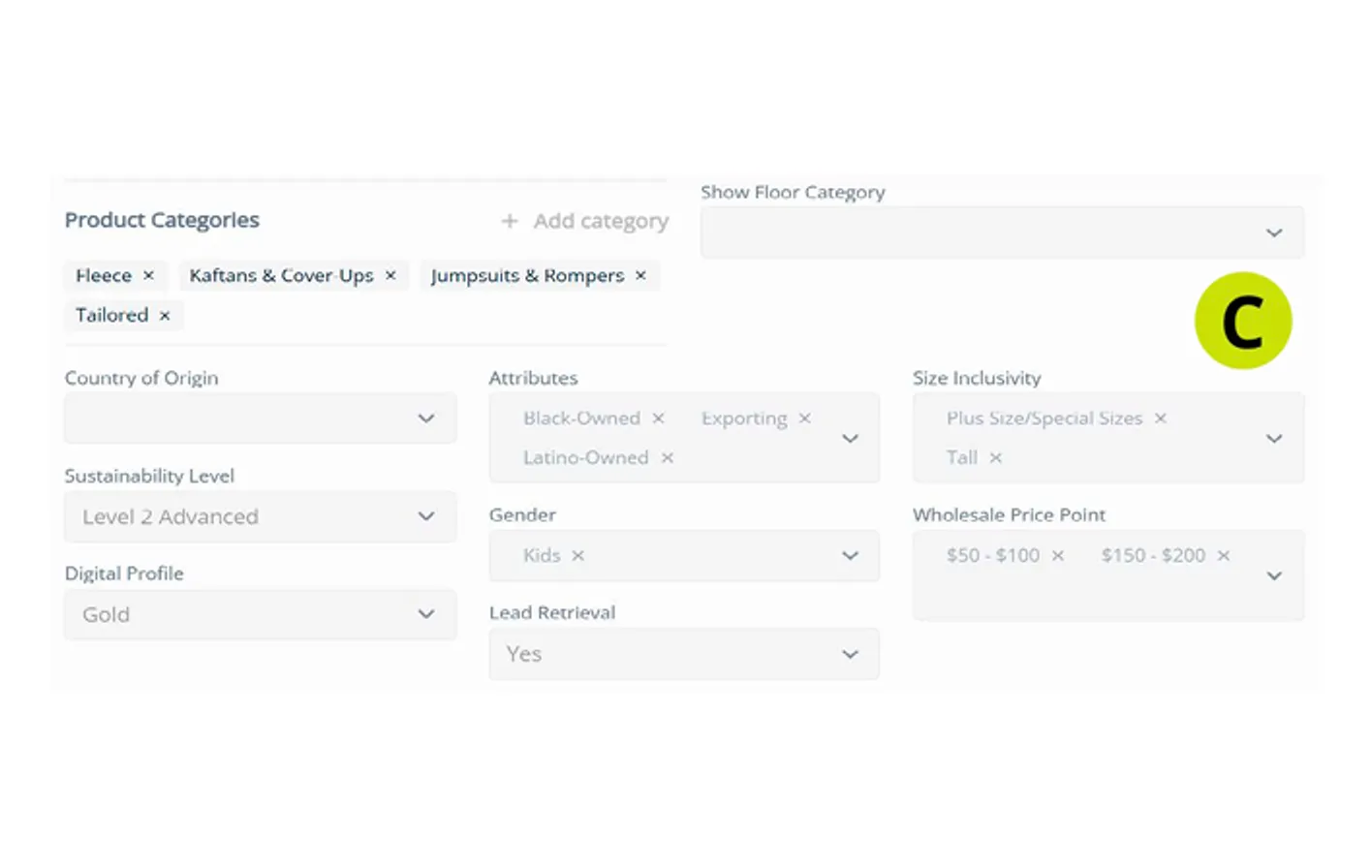
C. Locked Fields
You will notice some fields are locked and unable to be updated in ExpoPlatform. Please note that this information was pulled from the ERC in MapYourShow, and many fields can be updated under "Company Information" and "Product Categories."
If you see a discrepancy on: Address, Company Name, Website, Show Floor Categories, Country of Origin, Sustainability Level, Gender, Lead Retrieval, or Digital Profile please contact exhibit@fashionbyinforma.com or your sales representative.

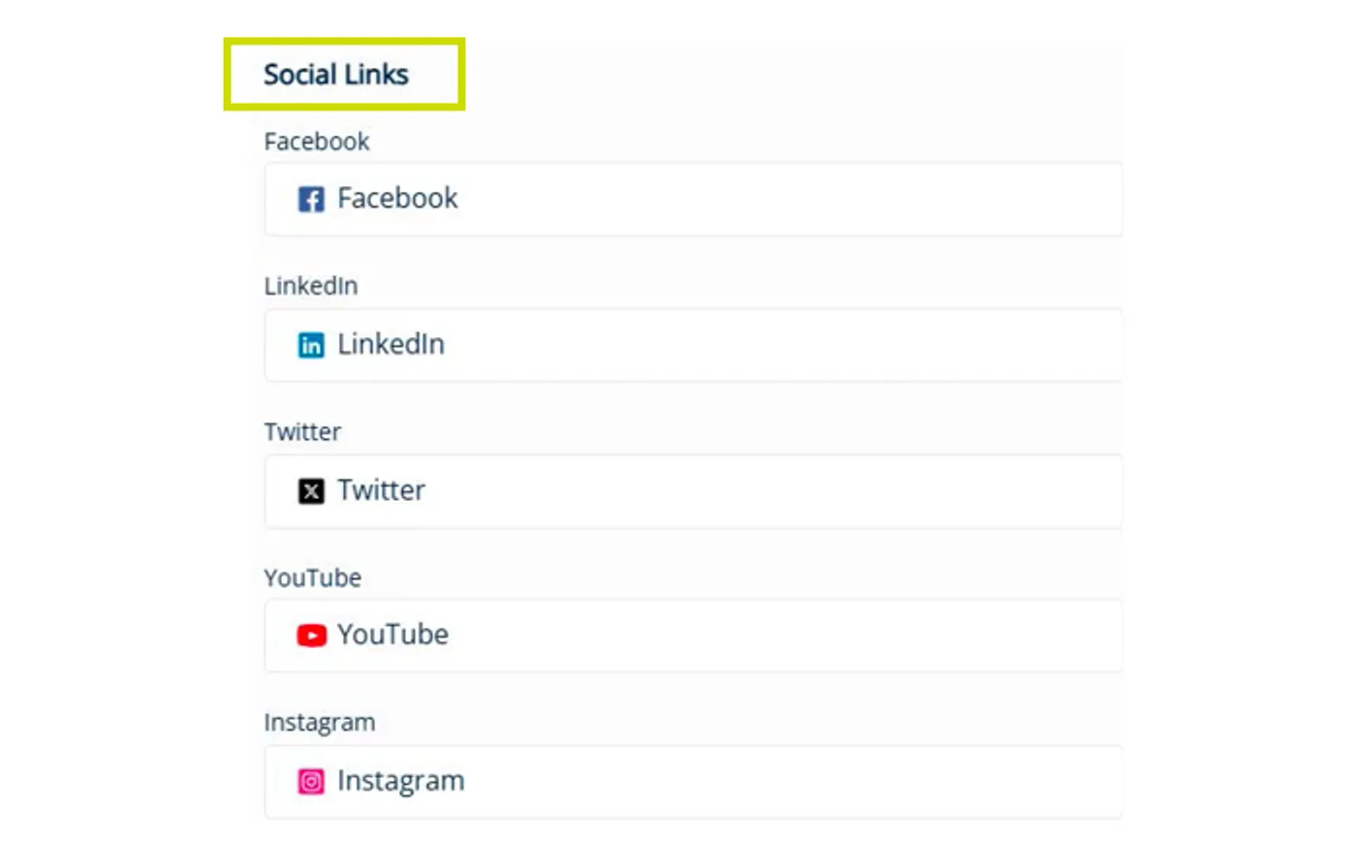 Social LinksMaximize your visibility. Head to the "Social Links" section under your company website field and add handles to expand your reach.
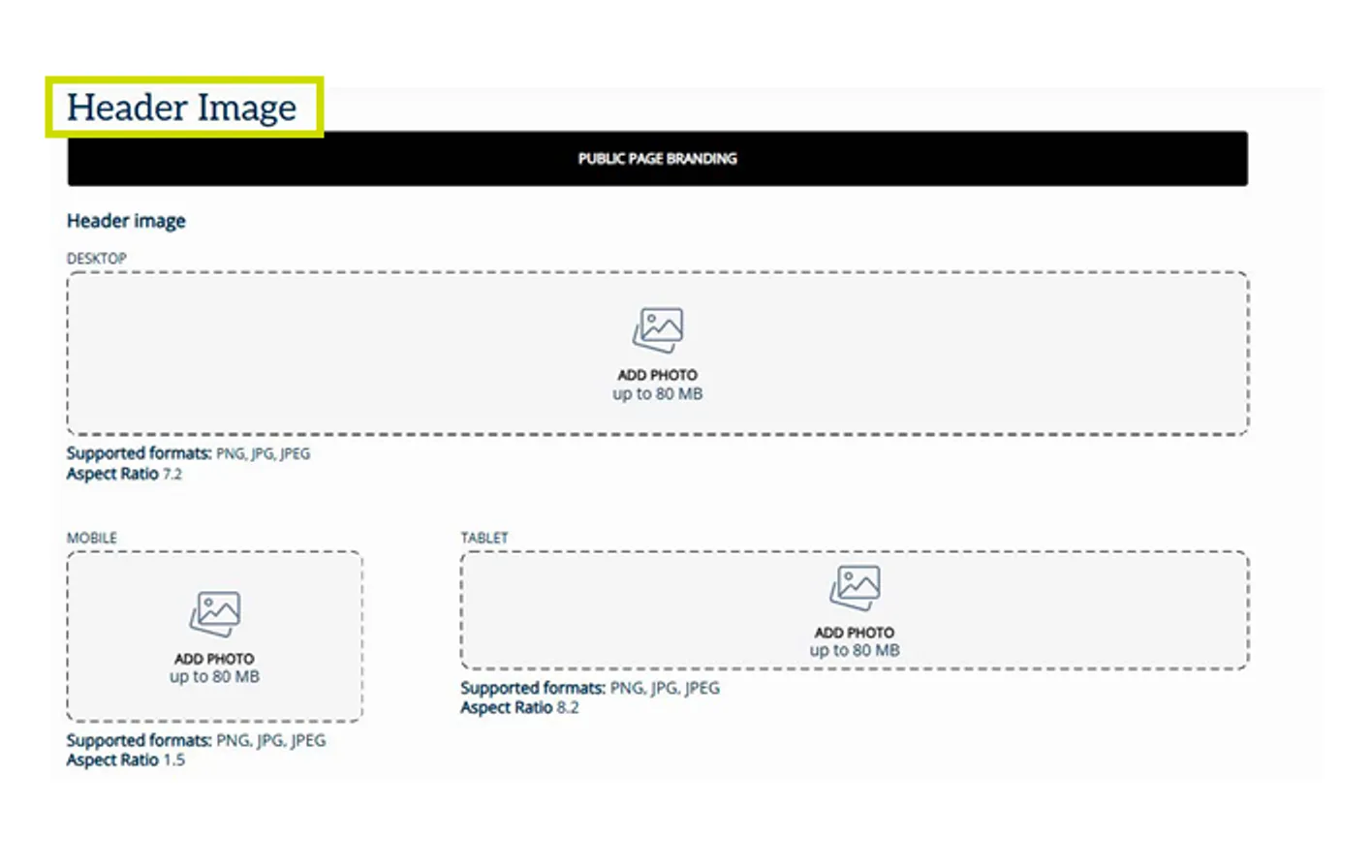 Custom HeaderHave your profile stand out by adding a header image. You can add an image for desktop, mobile, and tablet.
Please note the various aspect ratios for each version to ensure your image is of the highest quality.
Custom HeaderHave your profile stand out by adding a header image. You can add an image for desktop, mobile, and tablet.
Please note the various aspect ratios for each version to ensure your image is of the highest quality.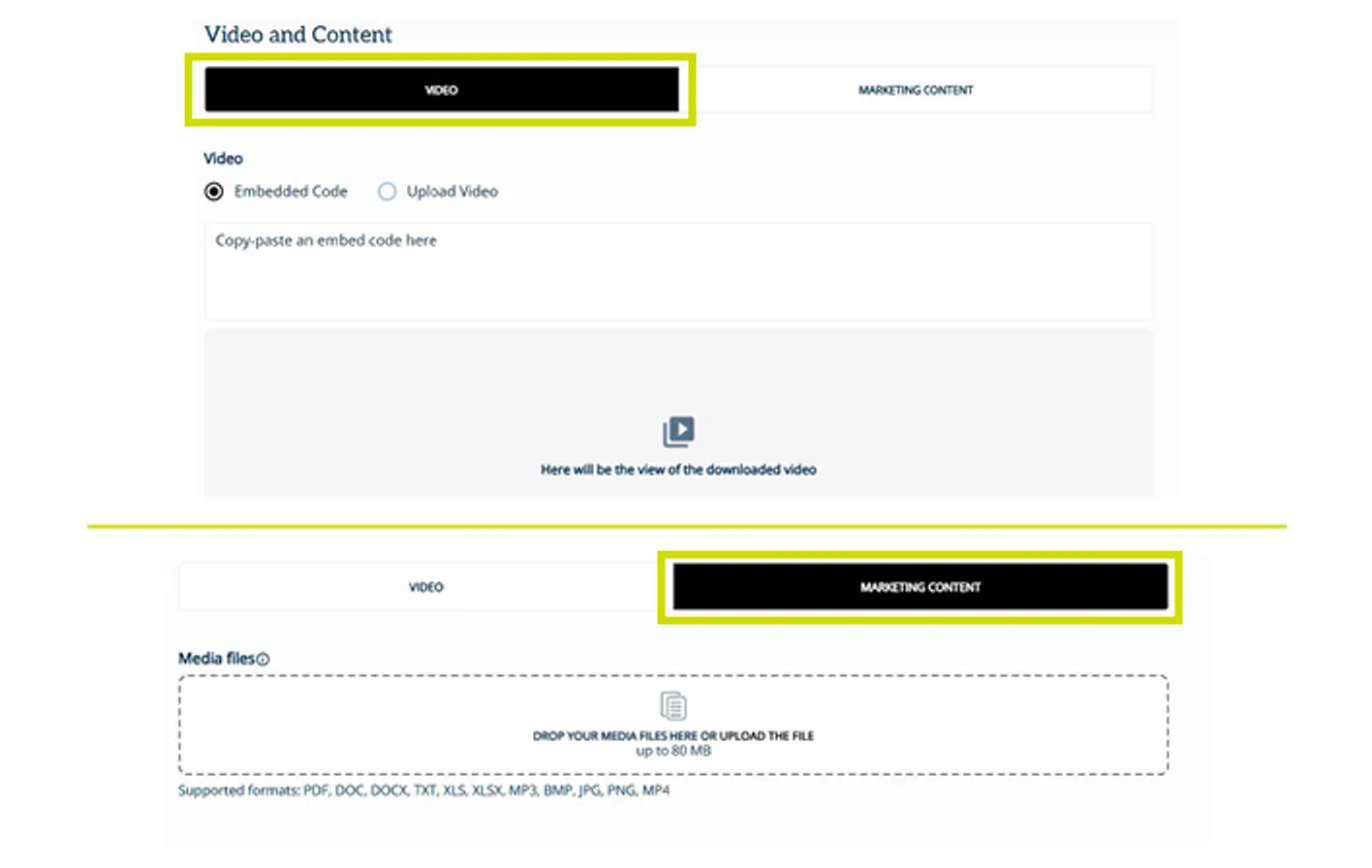 Video & Marketing ContentYou have the option of adding an embedded code or uploading a video. Please note, the supported files for video upload are MP4, and WEBM with a max size of 80MB.
For Marketing Content, you can upload PDF, DOC, DOCX, TXT, XLS, XLSX, MP3, BMP, JPG, PNG, or MP4 files with a max size of 80 MB.
Video & Marketing ContentYou have the option of adding an embedded code or uploading a video. Please note, the supported files for video upload are MP4, and WEBM with a max size of 80MB.
For Marketing Content, you can upload PDF, DOC, DOCX, TXT, XLS, XLSX, MP3, BMP, JPG, PNG, or MP4 files with a max size of 80 MB.
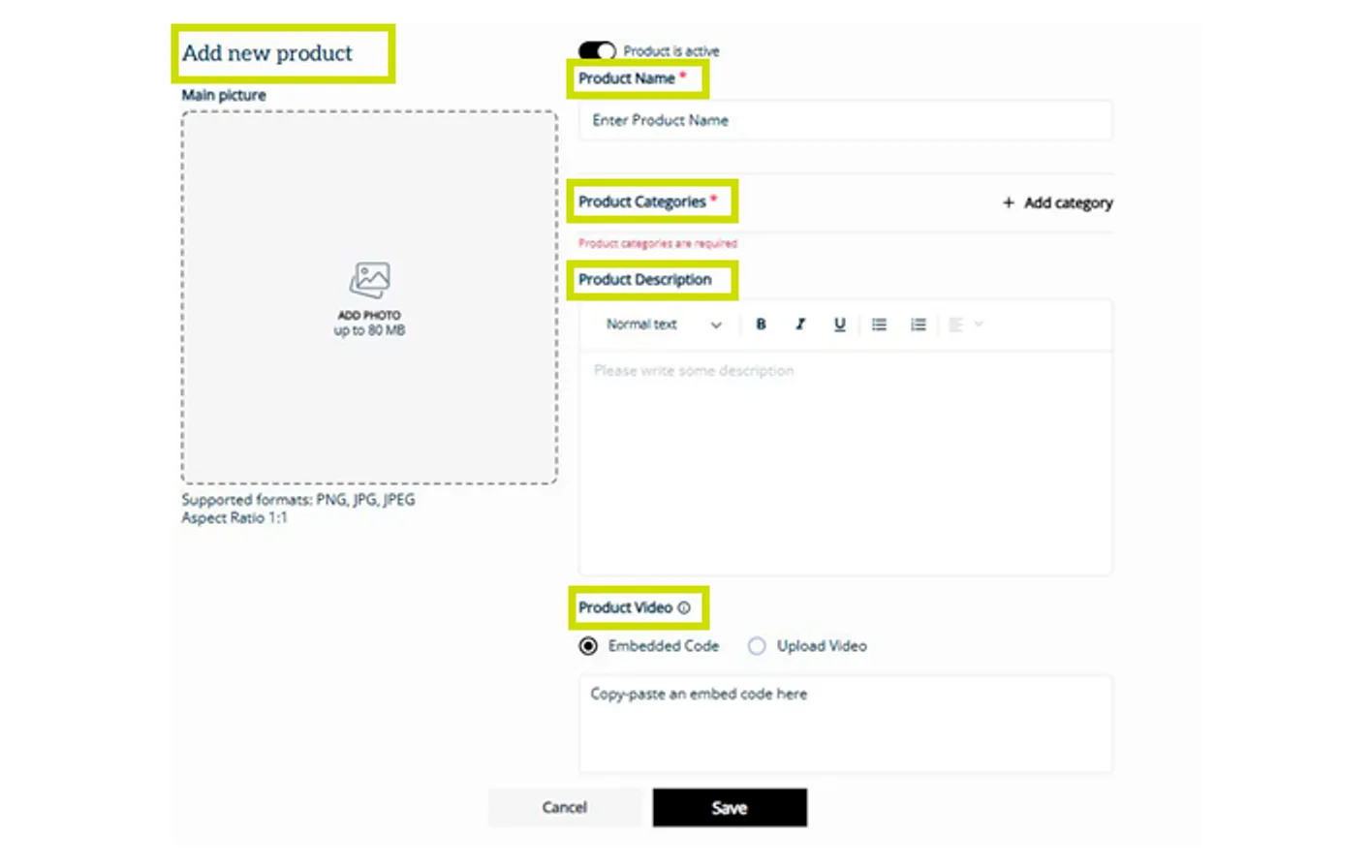 ProductsAdding products is a great way to showcase your offerings to attendees and help them learn more about your company!
Please note that Silver Profiles (all exhibitors received a complimentary upgrade for 2026) can upload up to 3 products.
ProductsAdding products is a great way to showcase your offerings to attendees and help them learn more about your company!
Please note that Silver Profiles (all exhibitors received a complimentary upgrade for 2026) can upload up to 3 products.